Operations
Ship, track and take back orders without hunting
Everything waiting on a person comes first. Then every unshipped item, every package in motion and every return on its way back, across stores and locations, with fraud and chargebacks reviewed before they cost you.
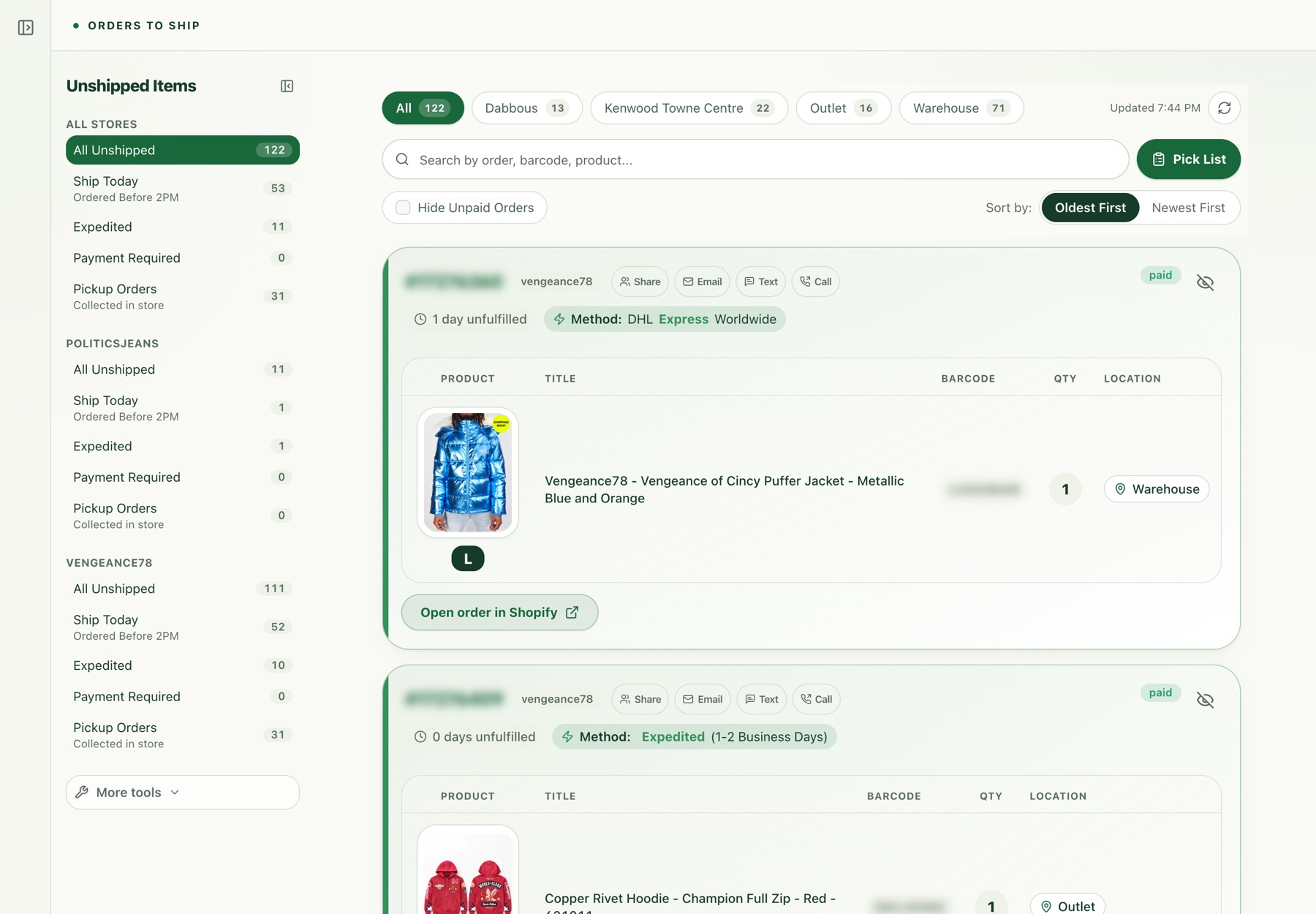
Start the day in one view
Today turns two stores into one short list. Anything waiting on a person comes first: handoffs from the AI, customers at risk of a chargeback, refunds that are overdue, address changes to check before a label prints. Underneath is the shipping picture, with the oldest order at each location. Every number opens the orders behind it.
Today
Everything waiting on a person across both stores, then shipping by location.
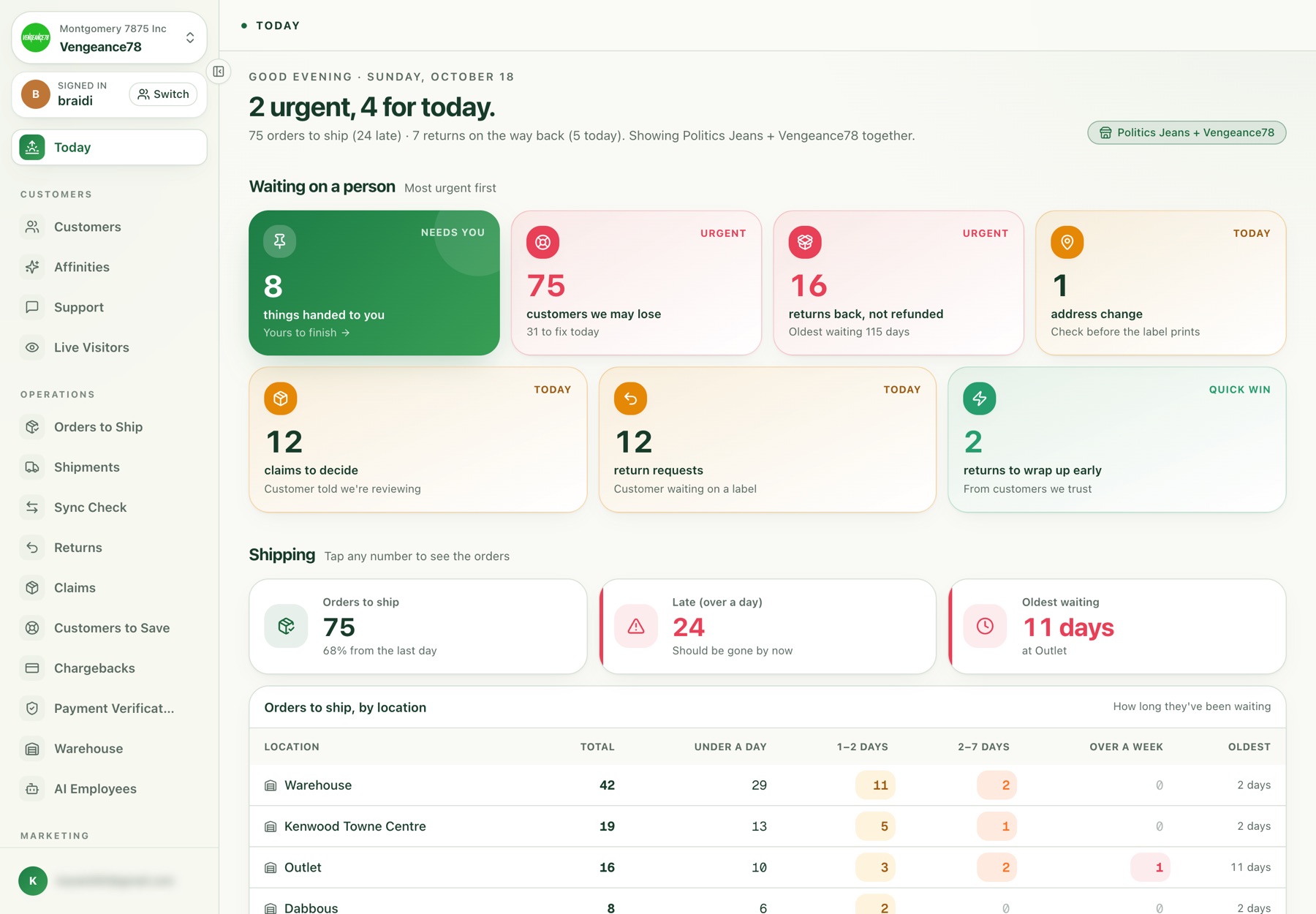
Orders to ship, oldest first
Every unshipped item across stores and locations, oldest first. Each order shows the shipping method, how long it has waited, the product photo, barcode and shelf location, and one-tap email, text or call to the customer. Filters split out ship-today cutoffs, expedited orders, payment holds and in-store pickups.
Orders to ship
Every unshipped item with its photo, shelf location and shipping method. Order numbers blurred.
Lights show where to pick
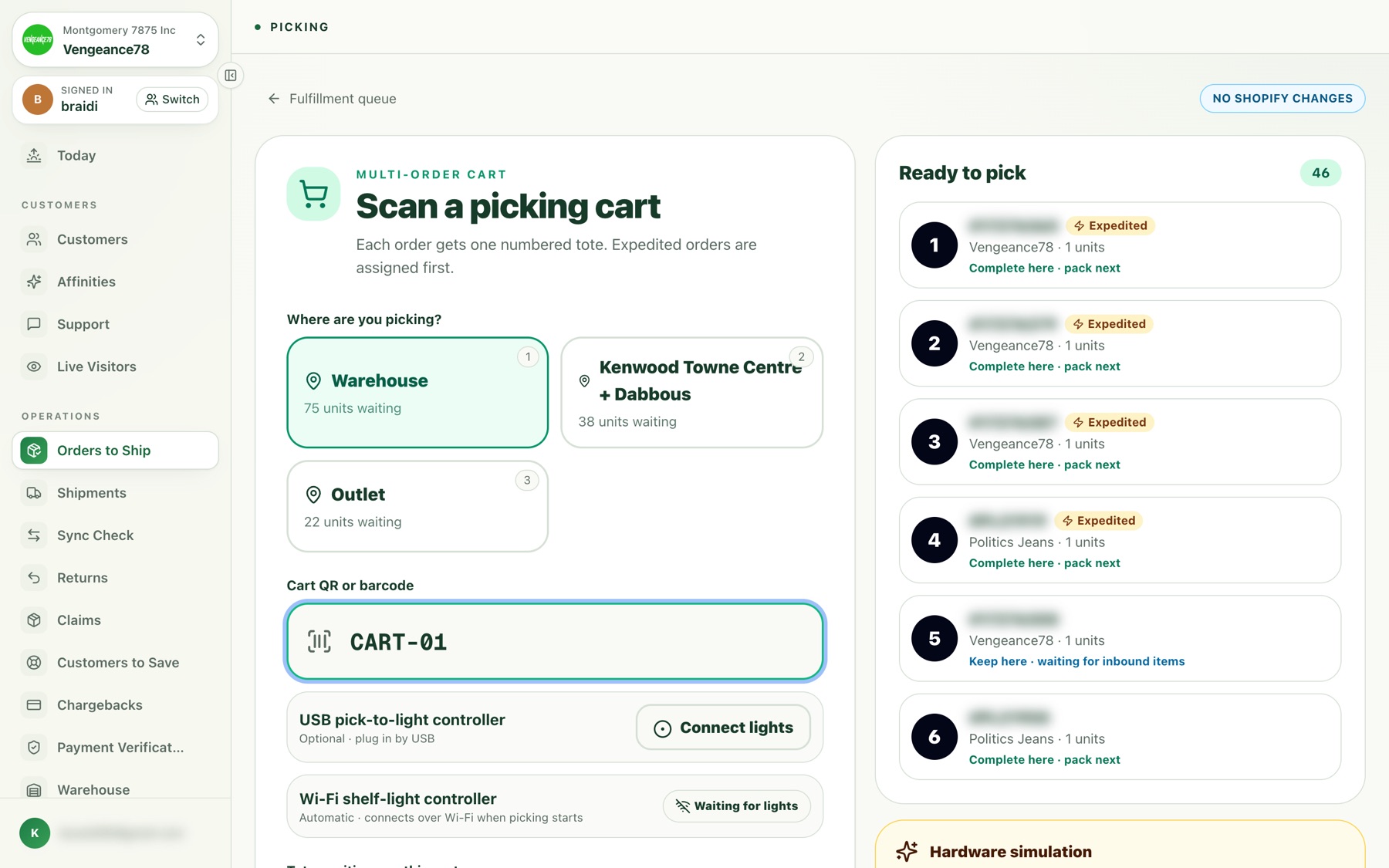
Staff scan a numbered cart and Tetova fills it with orders, one tote each, expedited orders first. Shelf and tote lights show where to pick and which tote it goes in, so a new hire can pick accurately on day one.
Scan a picking cart
Choose where you’re picking, scan the cart, connect the lights. Order numbers blurred.
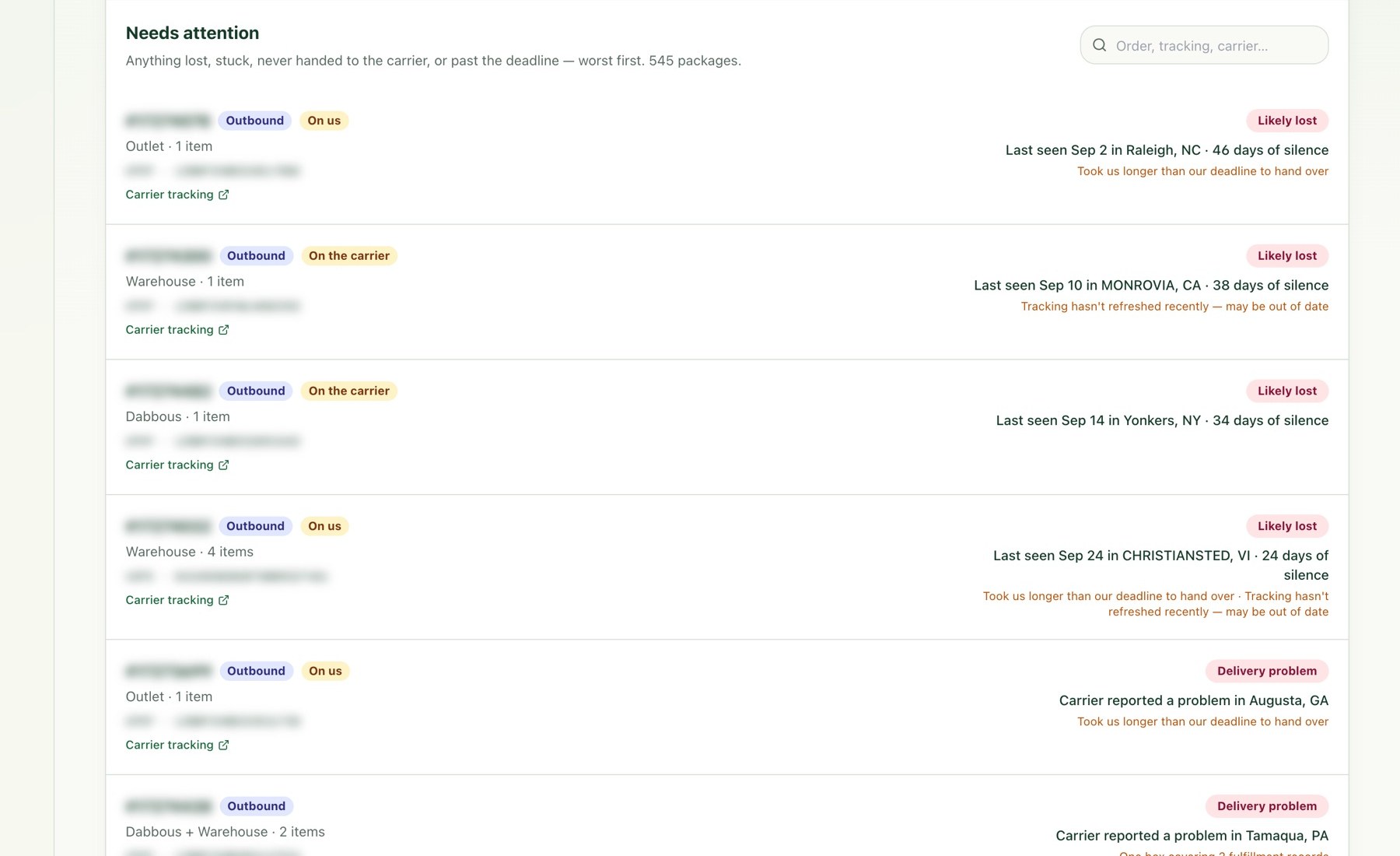
Catch problems before customers do
A board for every package moving in either direction. It separates what you haven’t shipped from what the carrier is sitting on, and flags packages that went quiet or were likely lost, worst first, with the last scan location and how many days it has been.
Needs attention
Packages that went quiet or likely got lost, with who is responsible: you or the carrier.
A returns portal customers finish on their own
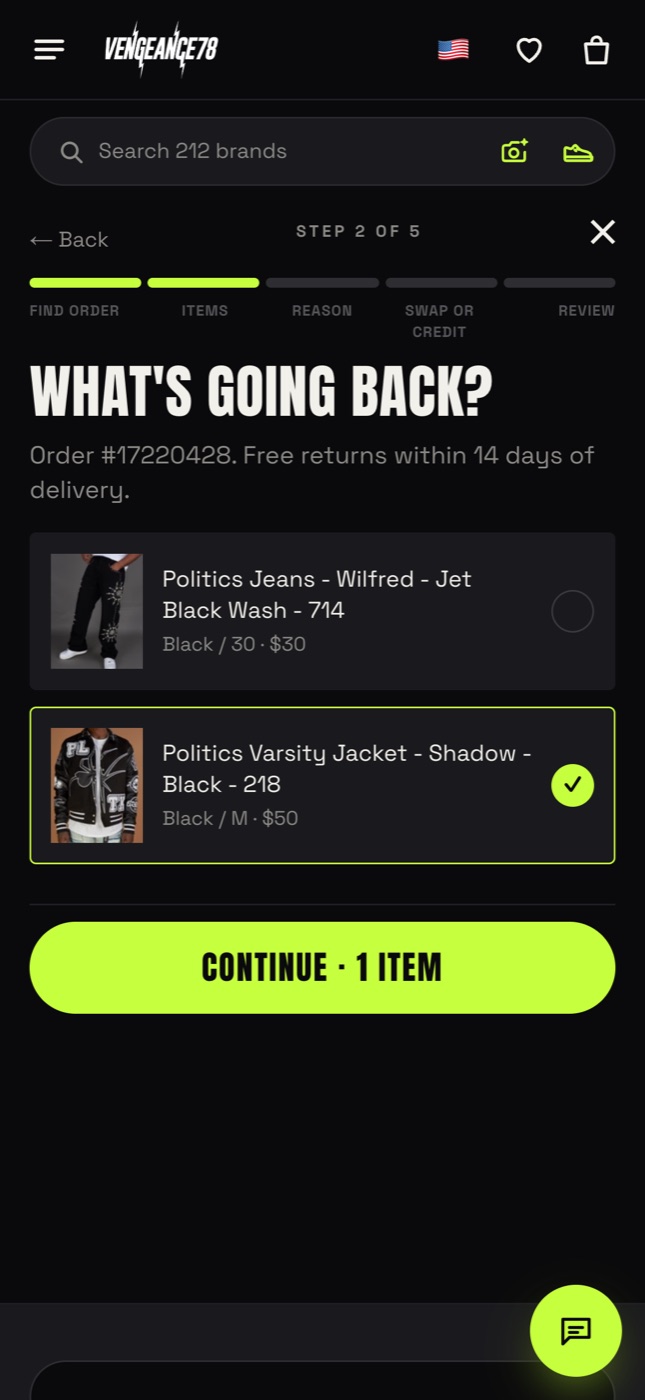
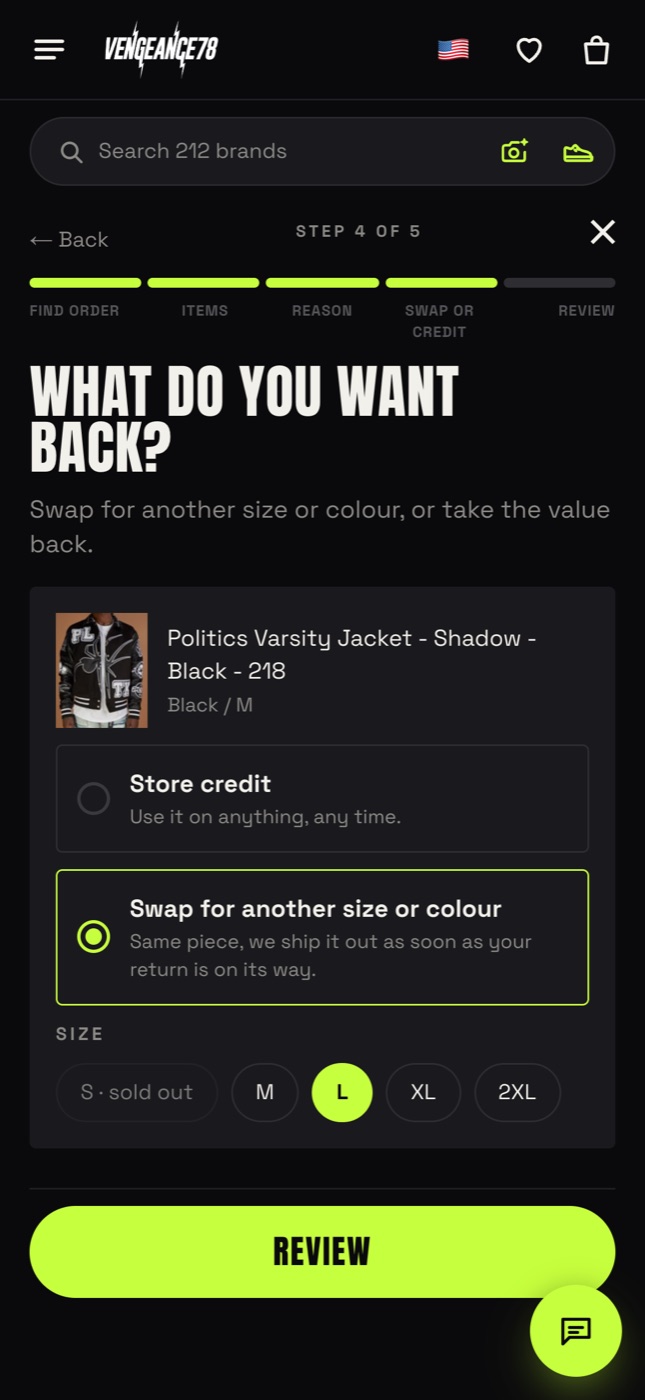
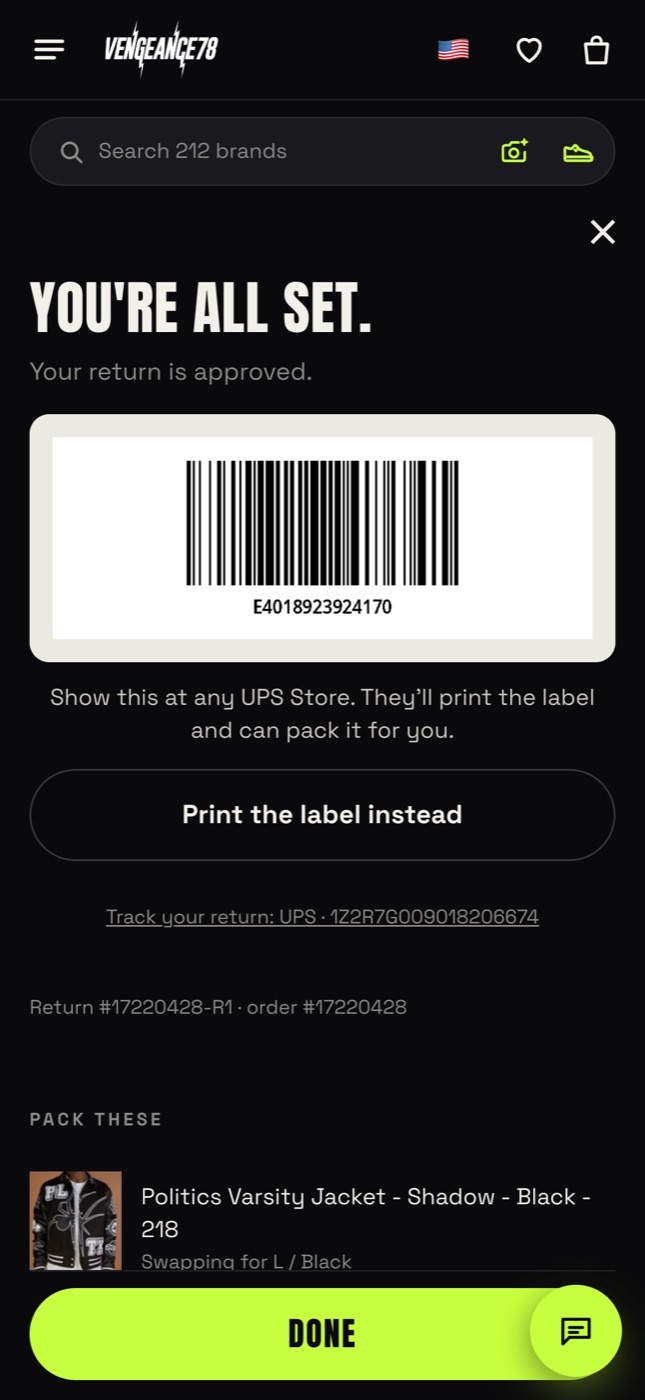
A branded self-serve portal on your own site. Customers find the order with an order number and email, choose what’s going back, pick a reason, then swap for another size in stock or take store credit. They get a scannable code to drop off at any UPS Store, with no printer and no email to support.
Choose what’s going back
Items outside the window are left out automatically.
Swap or store credit
Exchanges show live stock for every size.
Label and drop-off code
Filed in Shopify at once, with a copy by email.
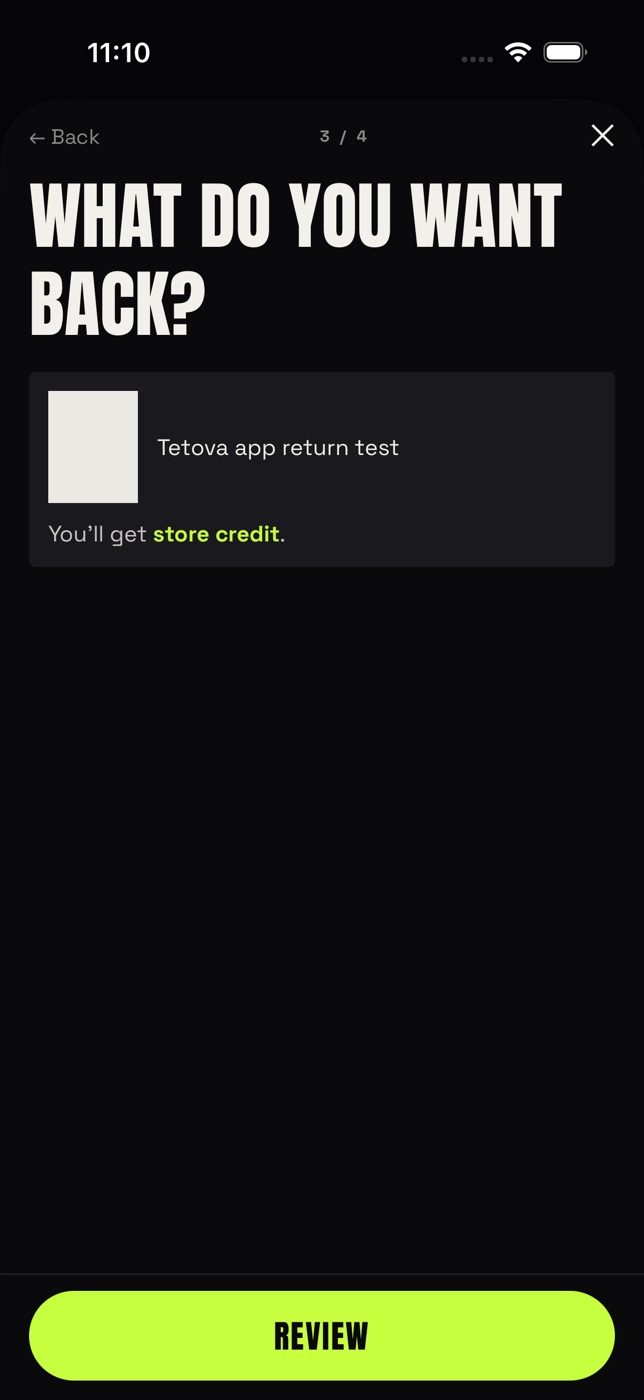
Also in the app
The same flow inside the shopper app.
Returns, processed at the warehouse
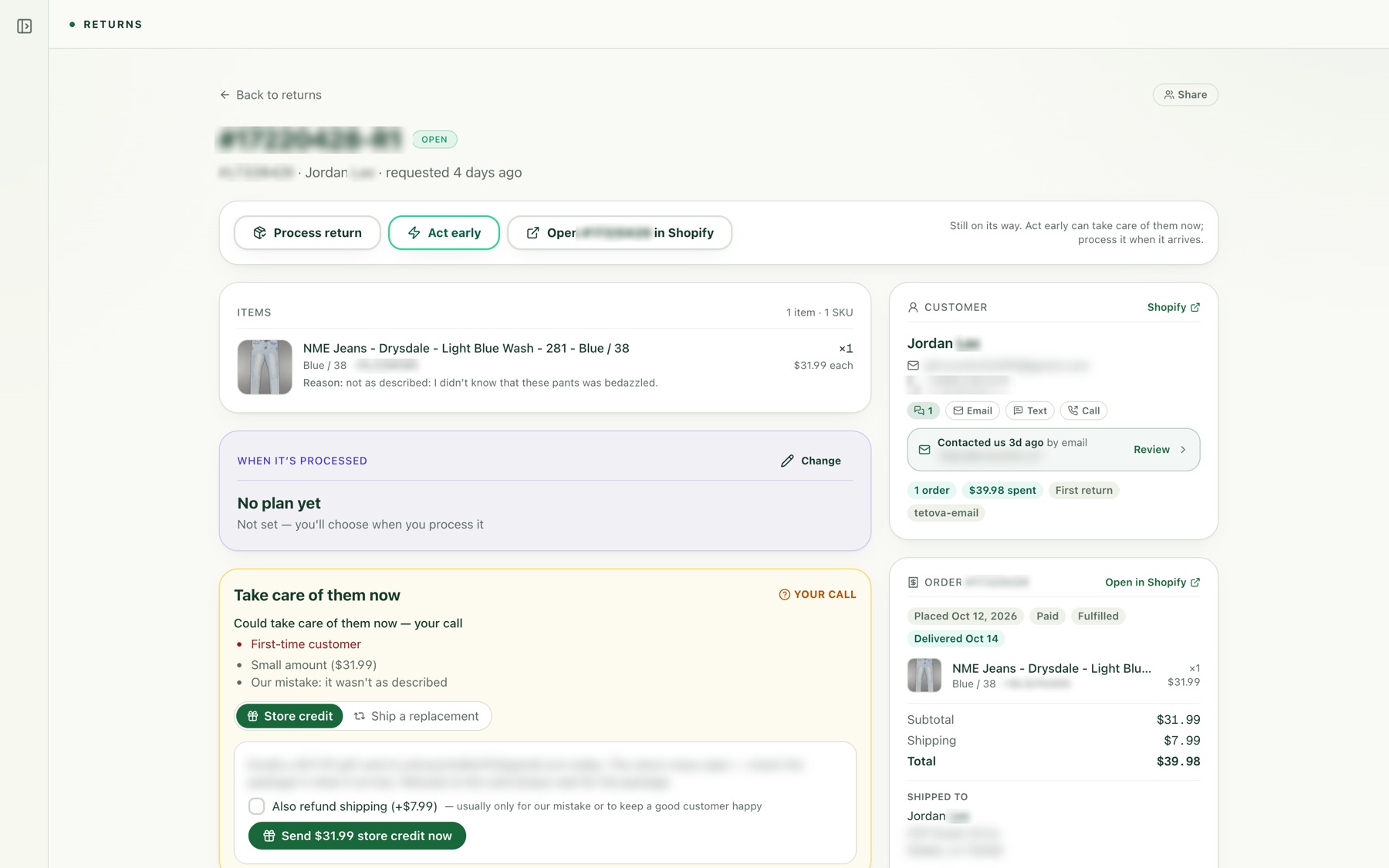
Behind the portal, the team sees every open return with who filed it (the customer or the AI) and what’s in transit. Opening a return shows the items, the customer’s history and a recommendation: for a small, first-time return already on its way back, credit them now.
One return, in detail
The items, the reason and the “take care of them now” recommendation, with one-tap store credit.
Grading a return in four steps
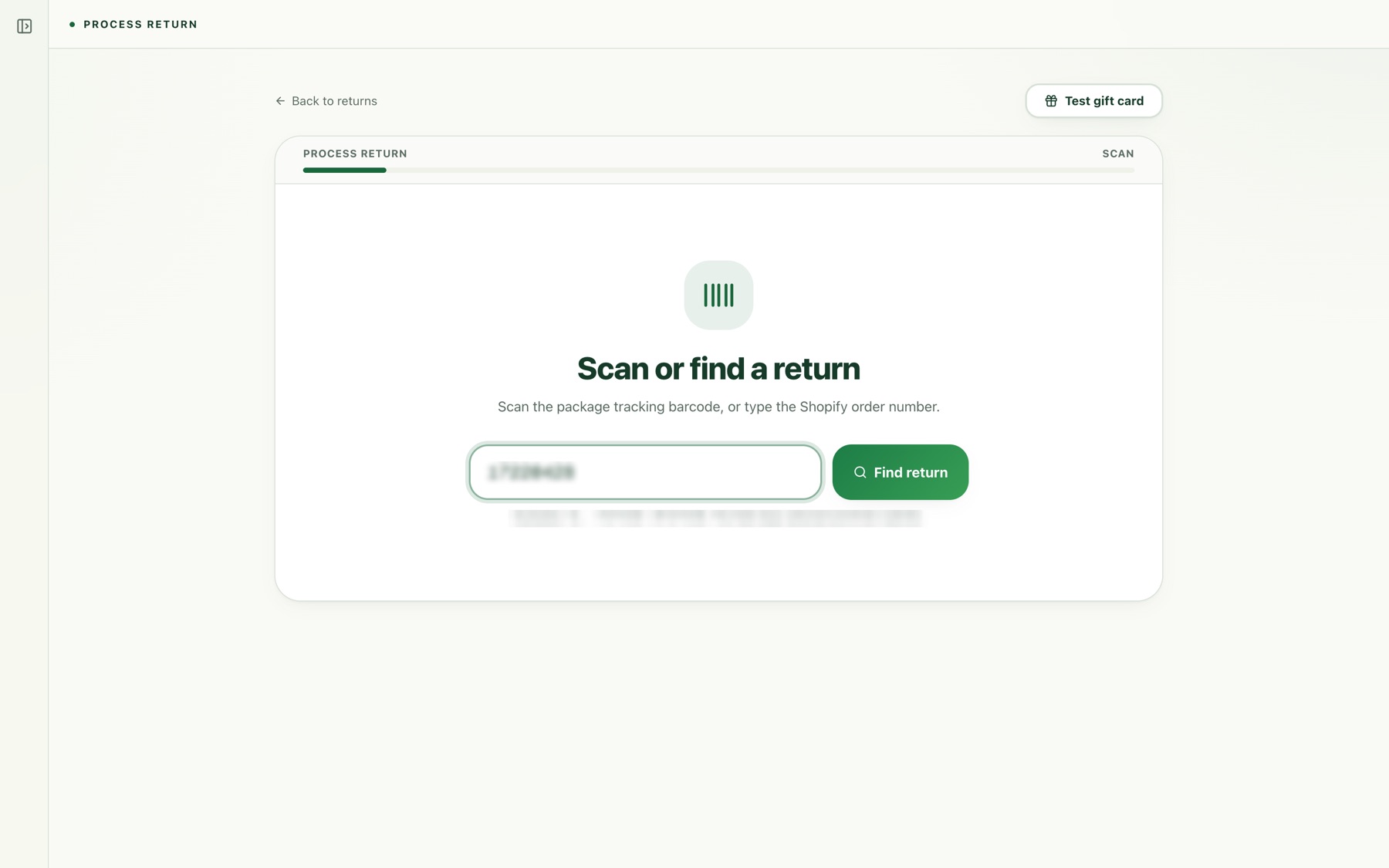
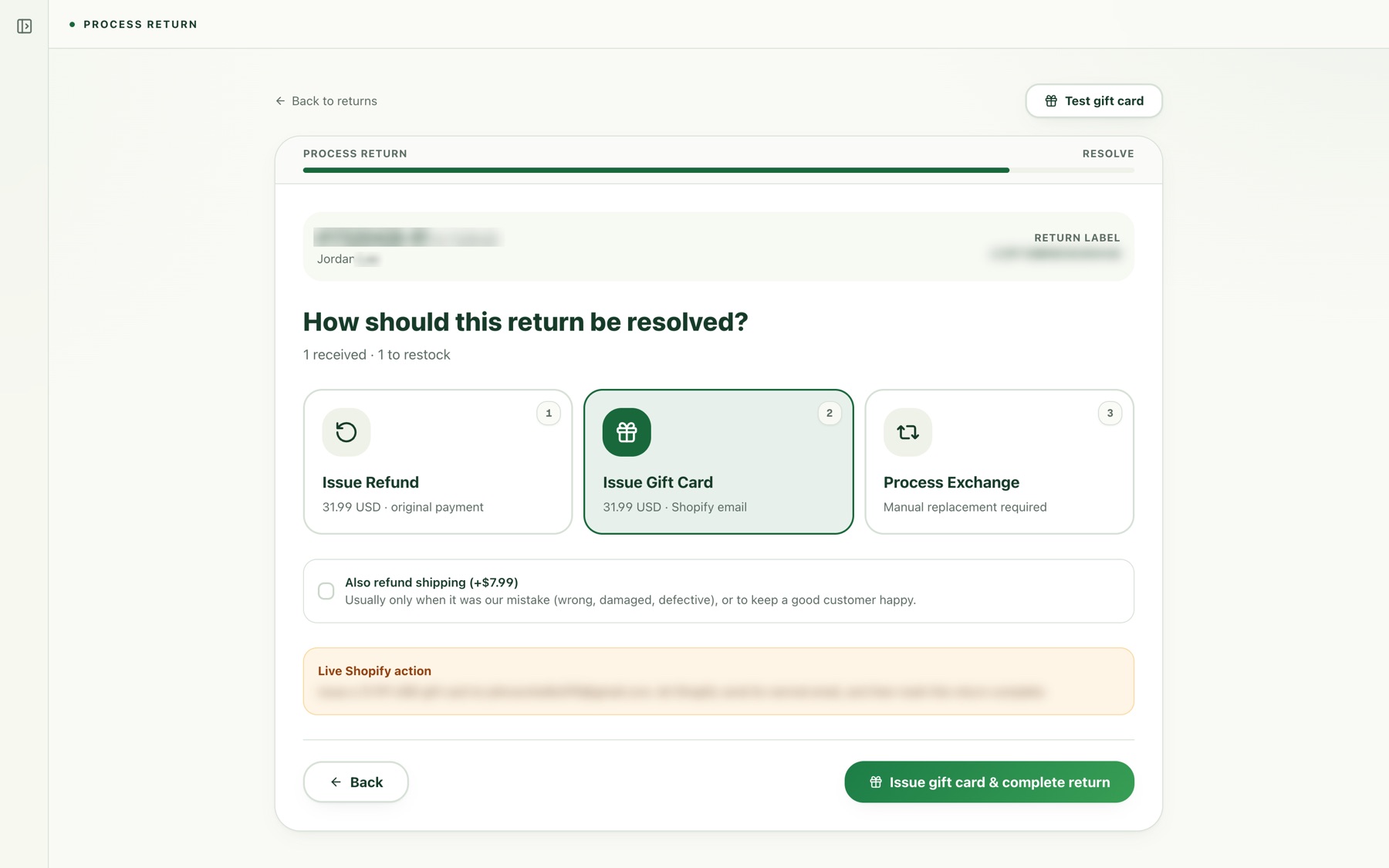
When a package arrives, staff scan it, confirm what’s inside, grade each item and choose where it goes back on the shelf, then resolve it.
1 · Scan
Scan the package barcode or type the order number.
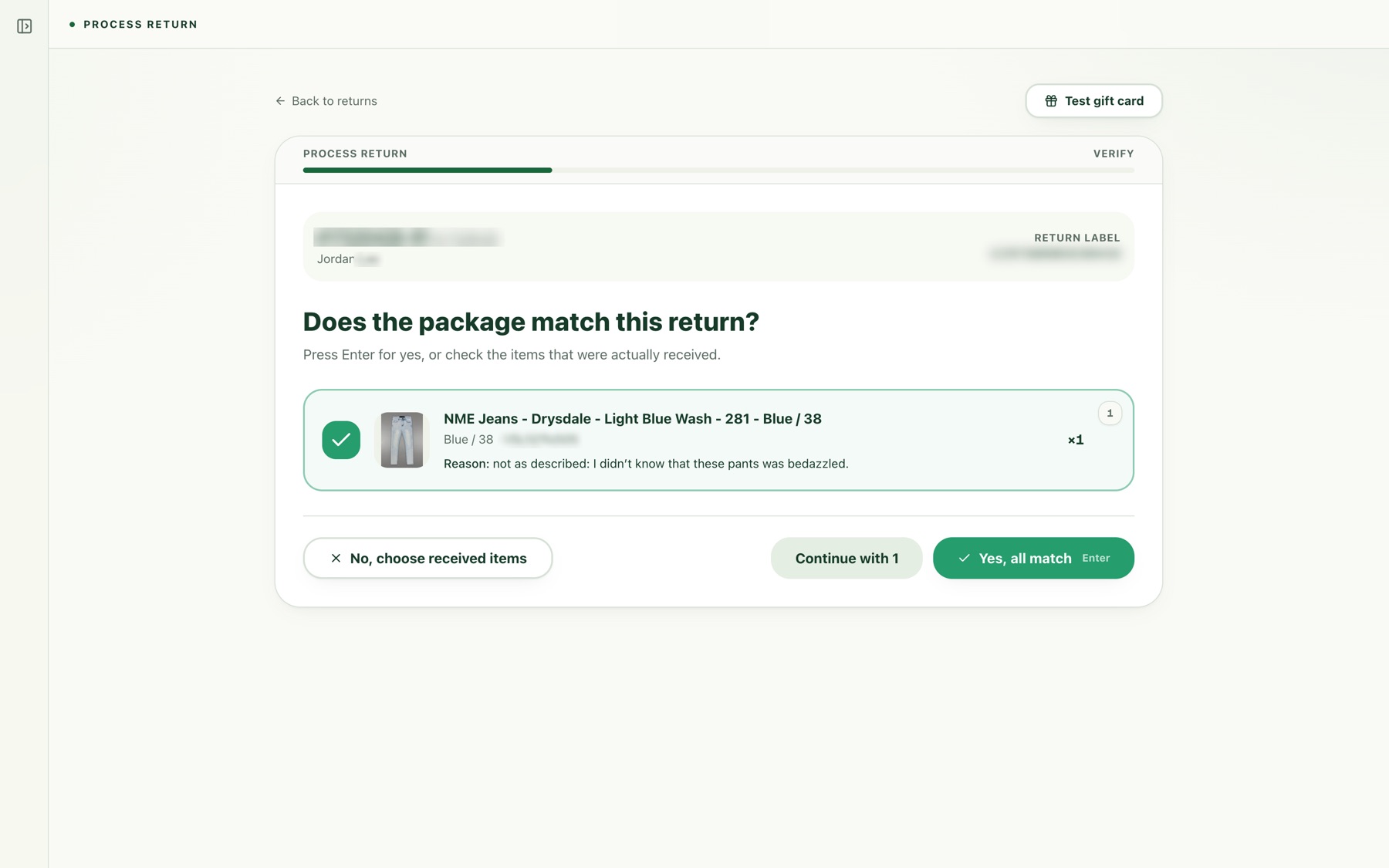
2 · Verify
Confirm the package matches what the customer said they sent.
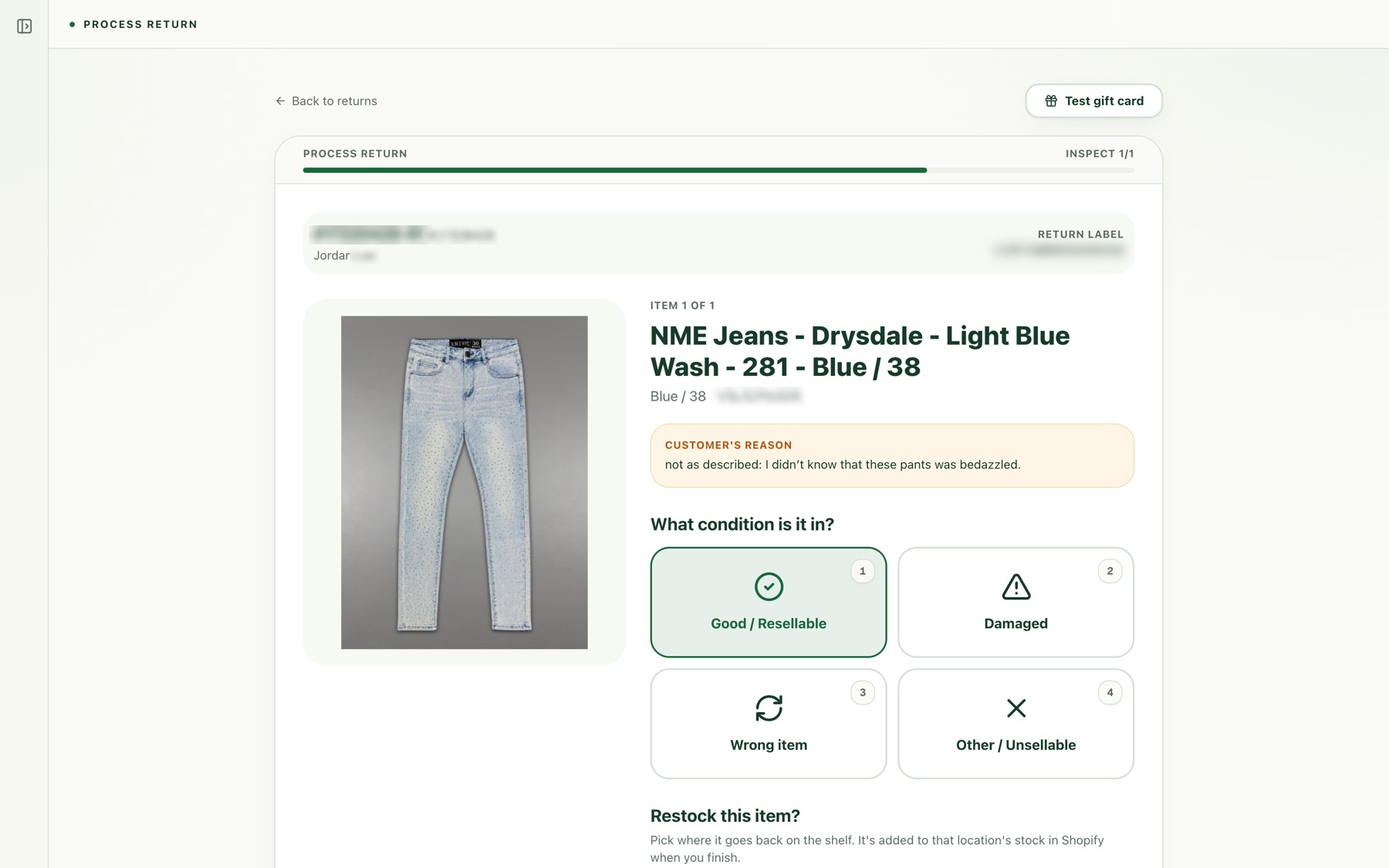
3 · Inspect
Grade each item and pick which shelf it goes back to.
4 · Resolve
Refund, gift card or exchange, with the amount ready to go.
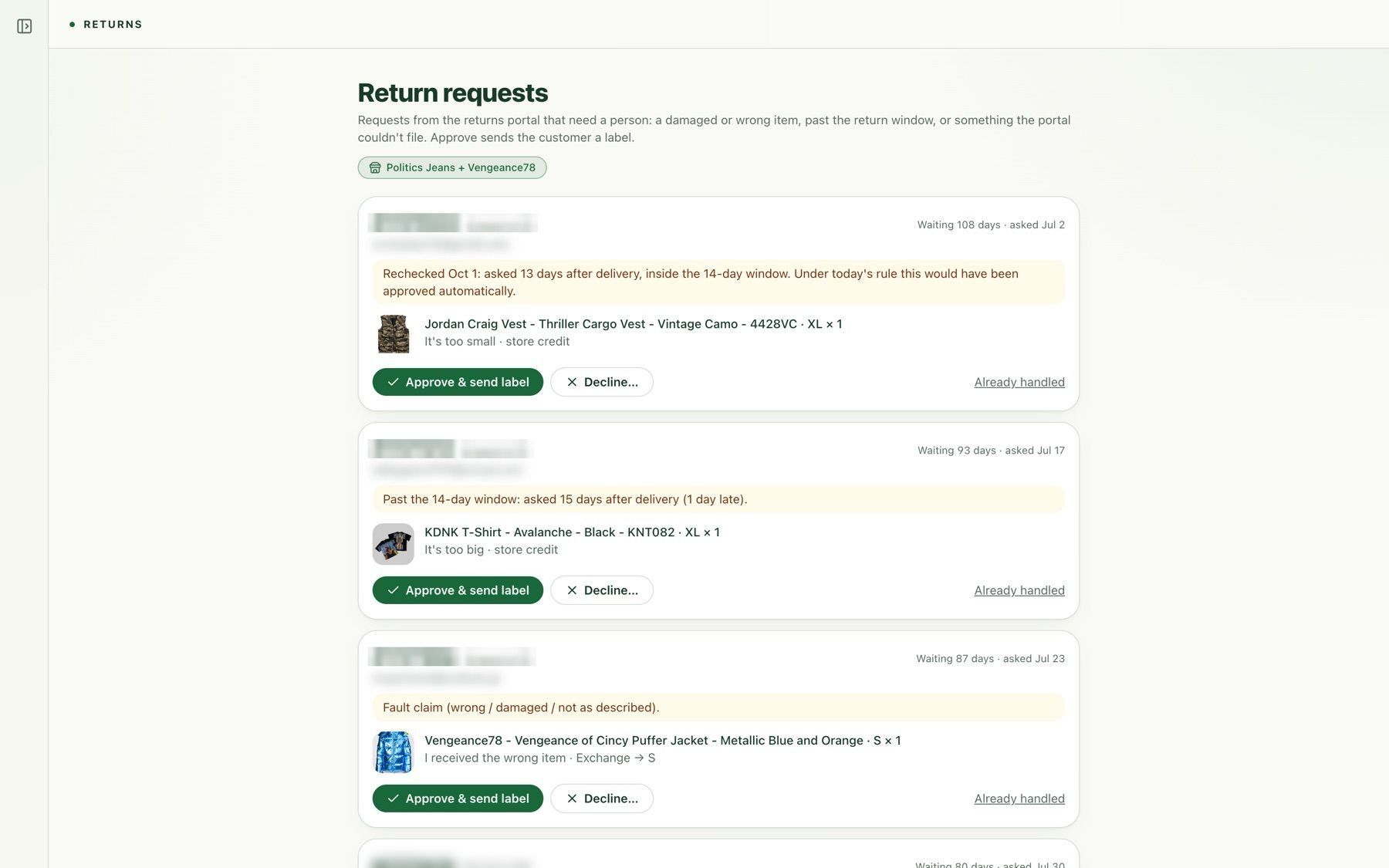
Return requests
Requests the portal held for a person, with the reason and one-click approve and send label.
Fraud and chargebacks
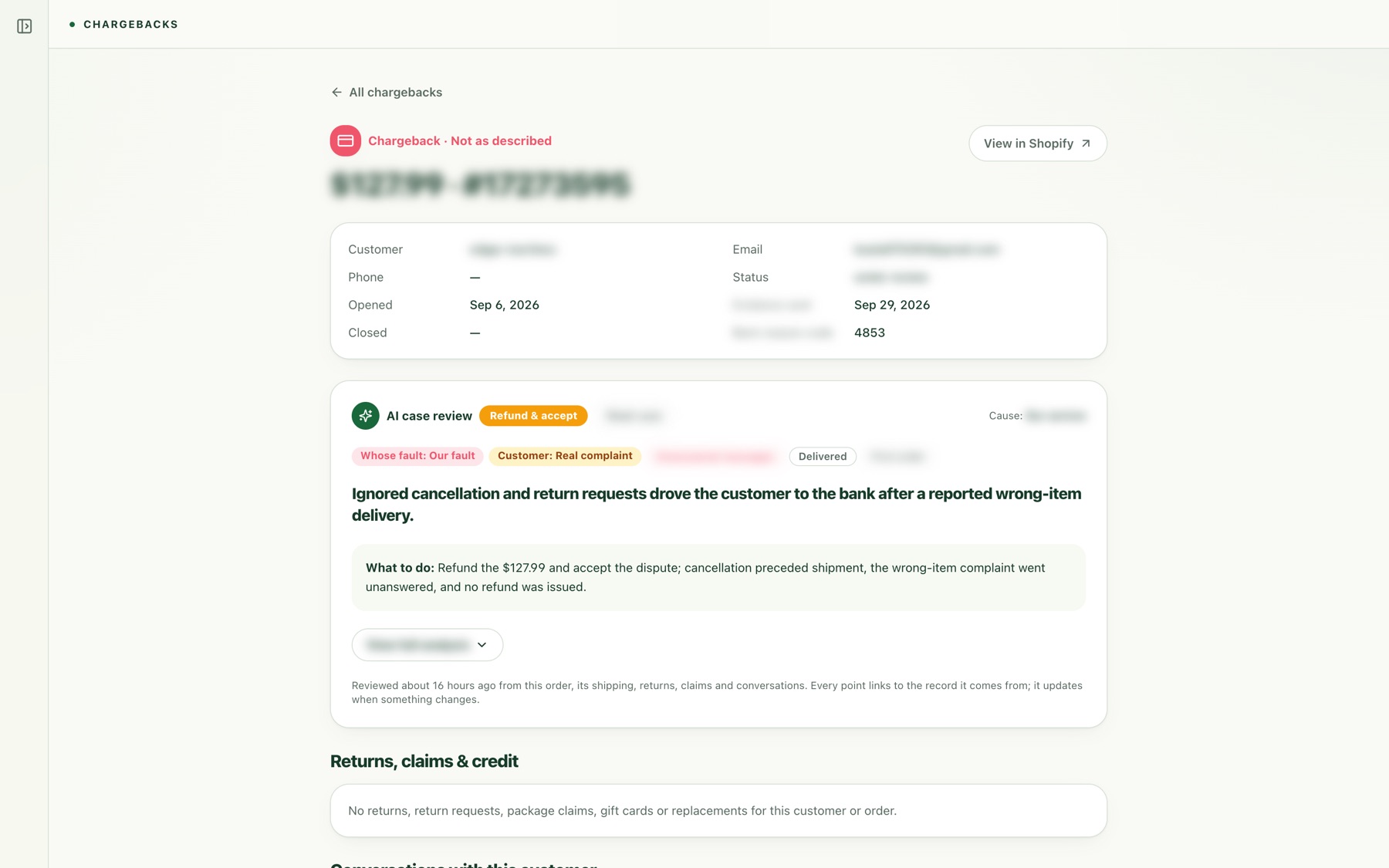
Risky payments are held before shipping and checked against a bank screenshot, with an AI recommendation. A person always makes the call. When a chargeback arrives, the AI reviews the order, the delivery and every conversation, and writes what happened and what to do.
A chargeback, reviewed by AI
Who was at fault, what it found, and the recommended response. Customer details blurred.
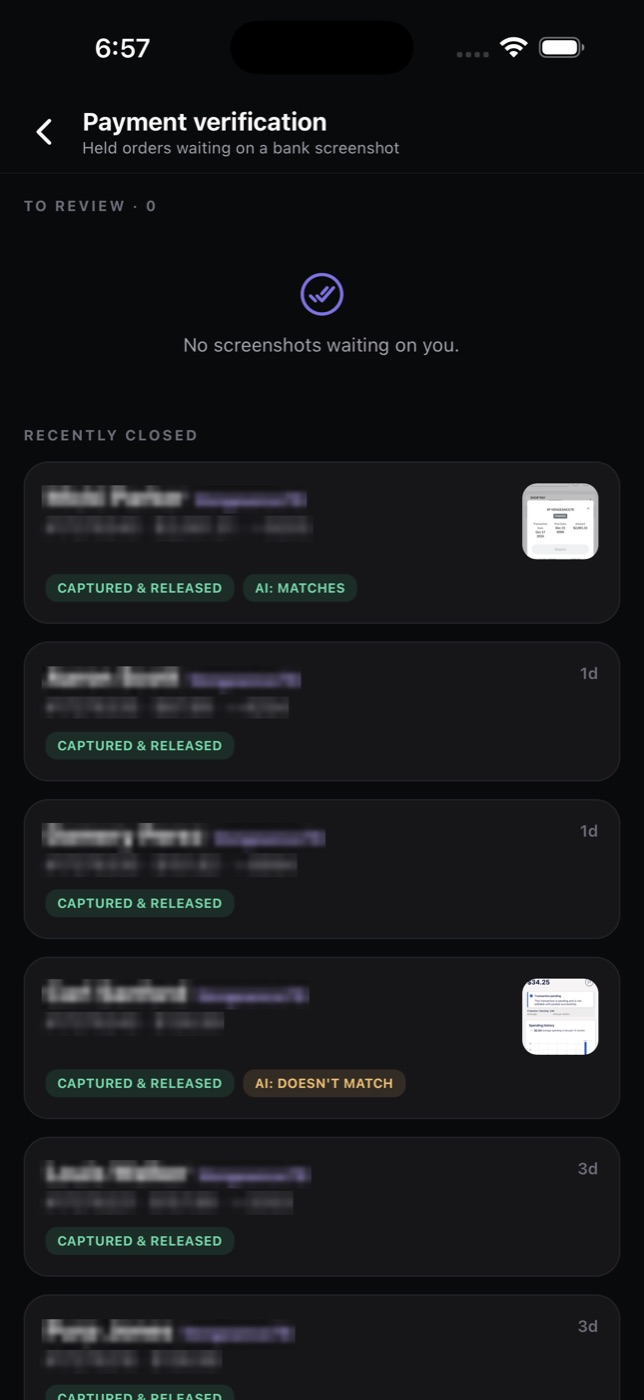
Payment verification
Held orders checked against bank screenshots.
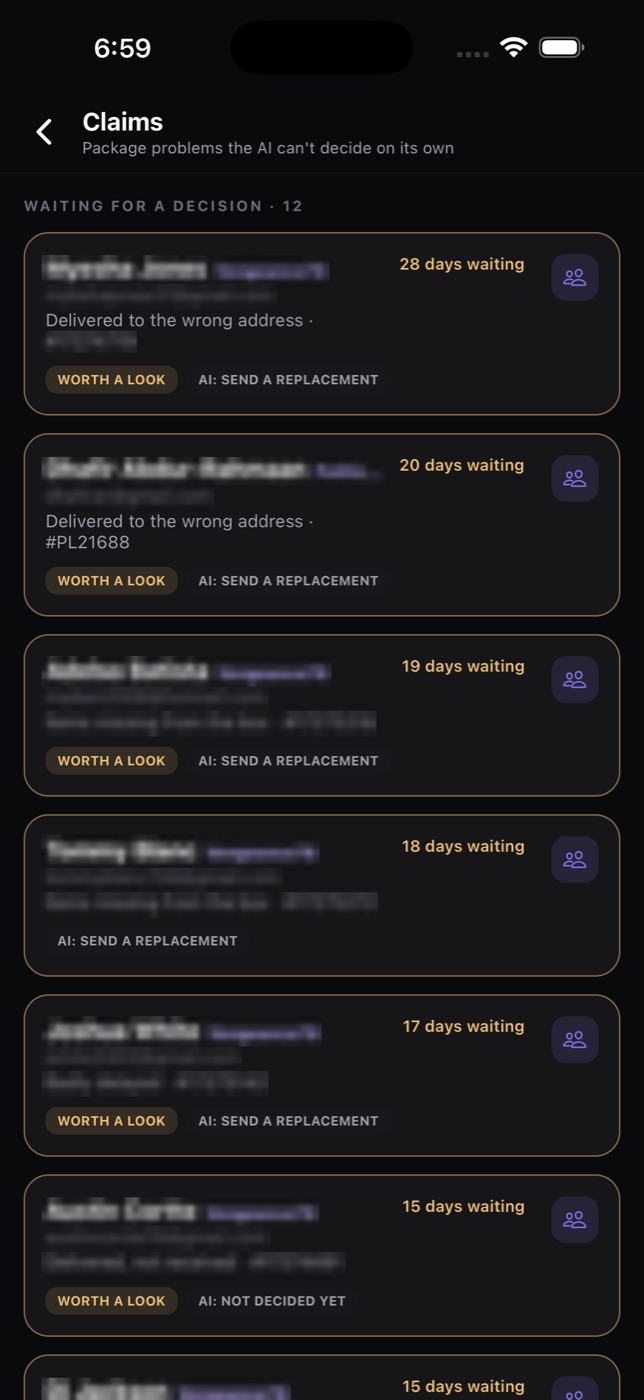
Package claims
Lost, damaged or wrong-address packages, with AI advice.
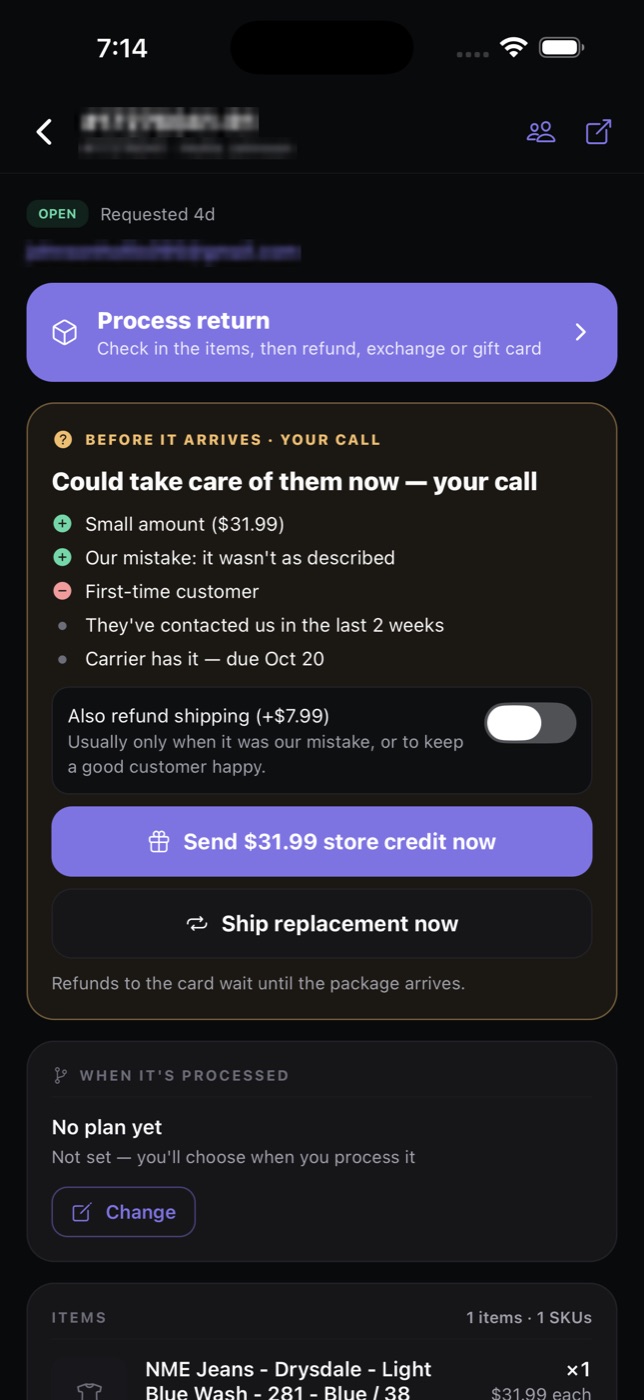
Act early
Credit or replace before the box is back.
On the floor, from a phone
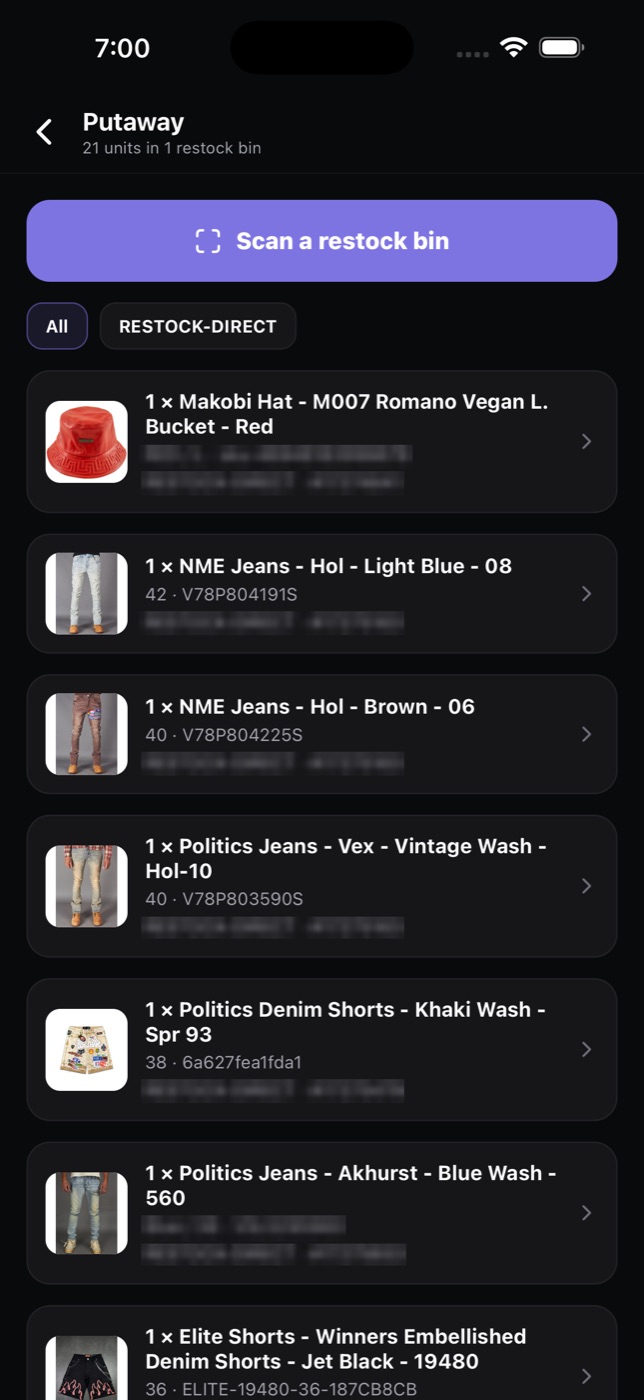
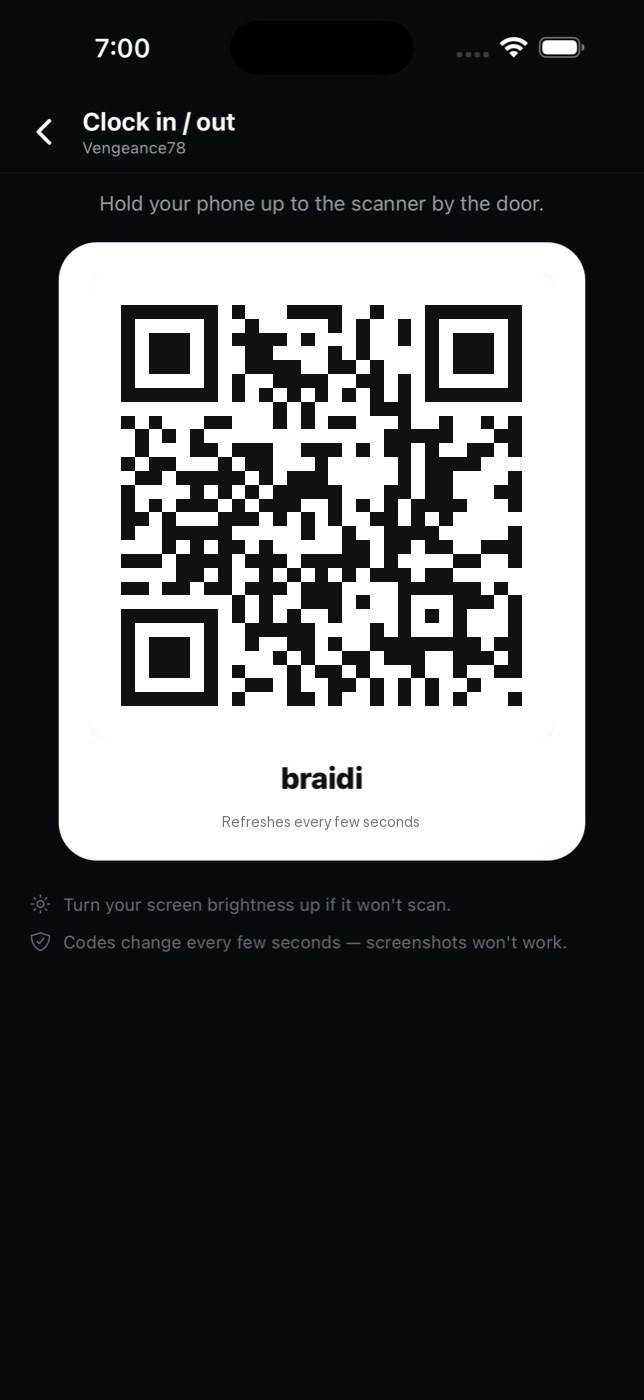
The staff app puts the warehouse in the team’s pocket: put returned items back on the right shelf, process a return by scanning its label, and clock in with a QR code by the door.
Putaway
Scan a restock bin and put each item away.
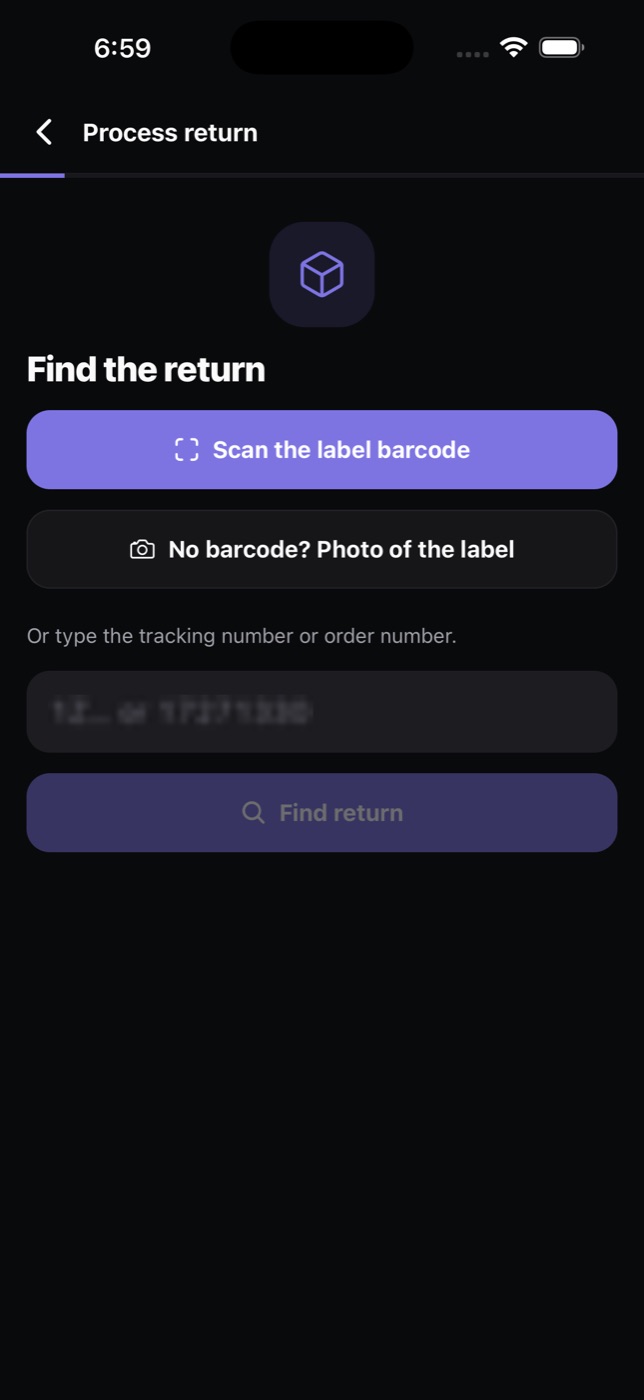
Process a return
Scan the label, or snap a photo of it.
Clock in and out
A QR time clock by the door.
More of Tetova
The rest of the platform
Everything below shares the same customers, orders and products, so no one copies details between tools.
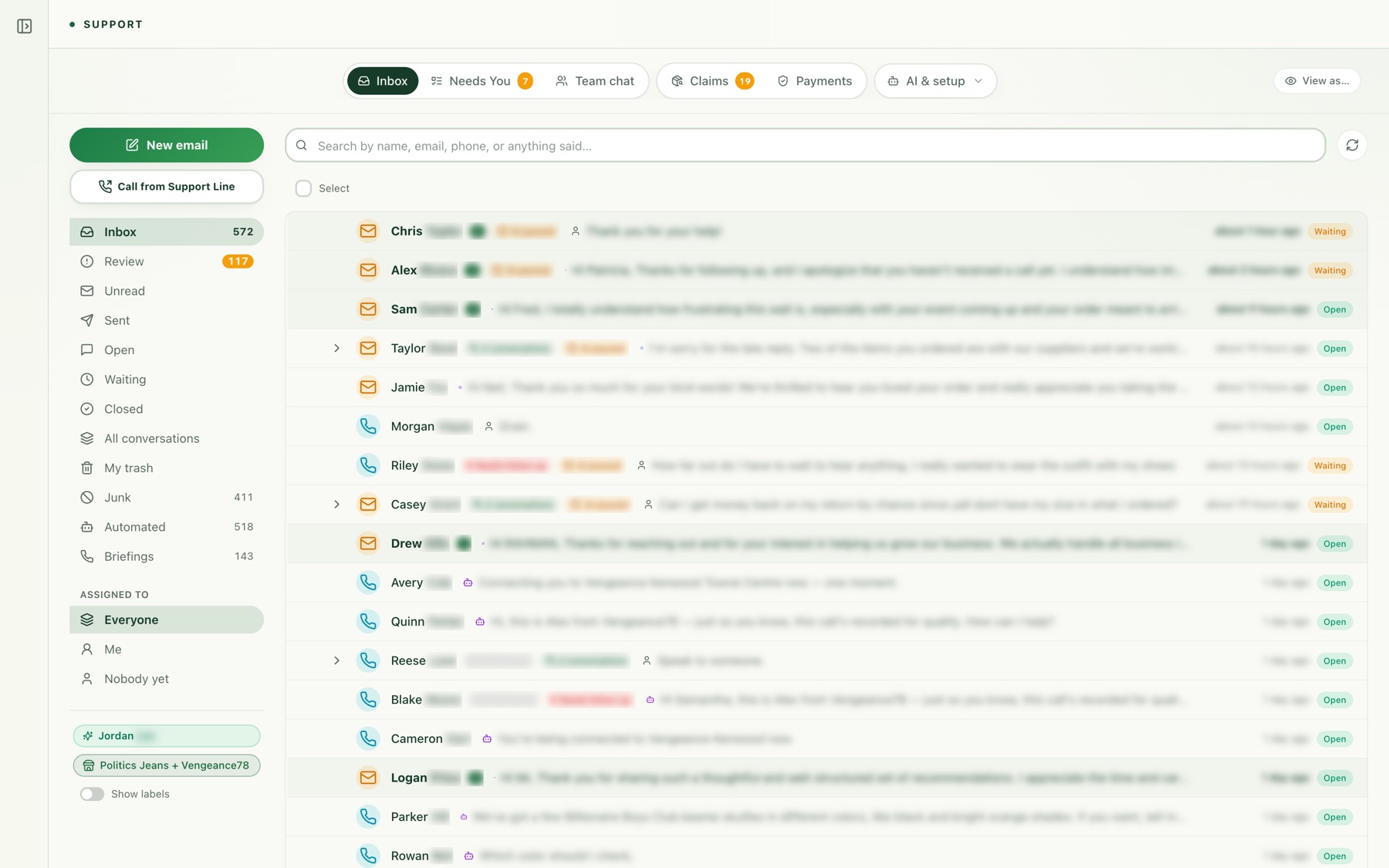
Support
One AI agent on phone, email, live chat, text, Instagram and Messenger, with your team in charge.
See support →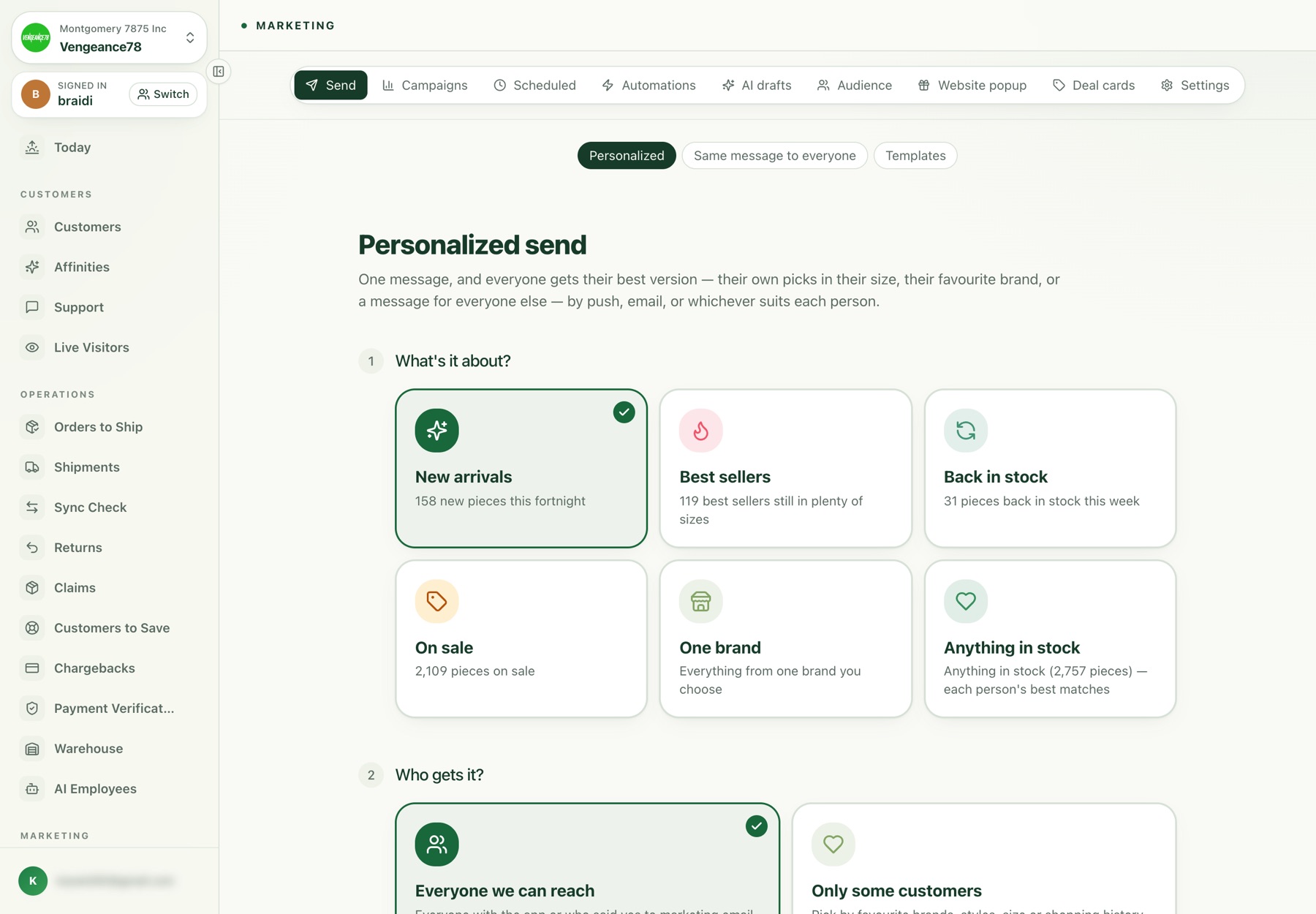
Marketing
Email and push from your own platform, Meta ads, AI creative, popups, reviews and SEO.
See marketing →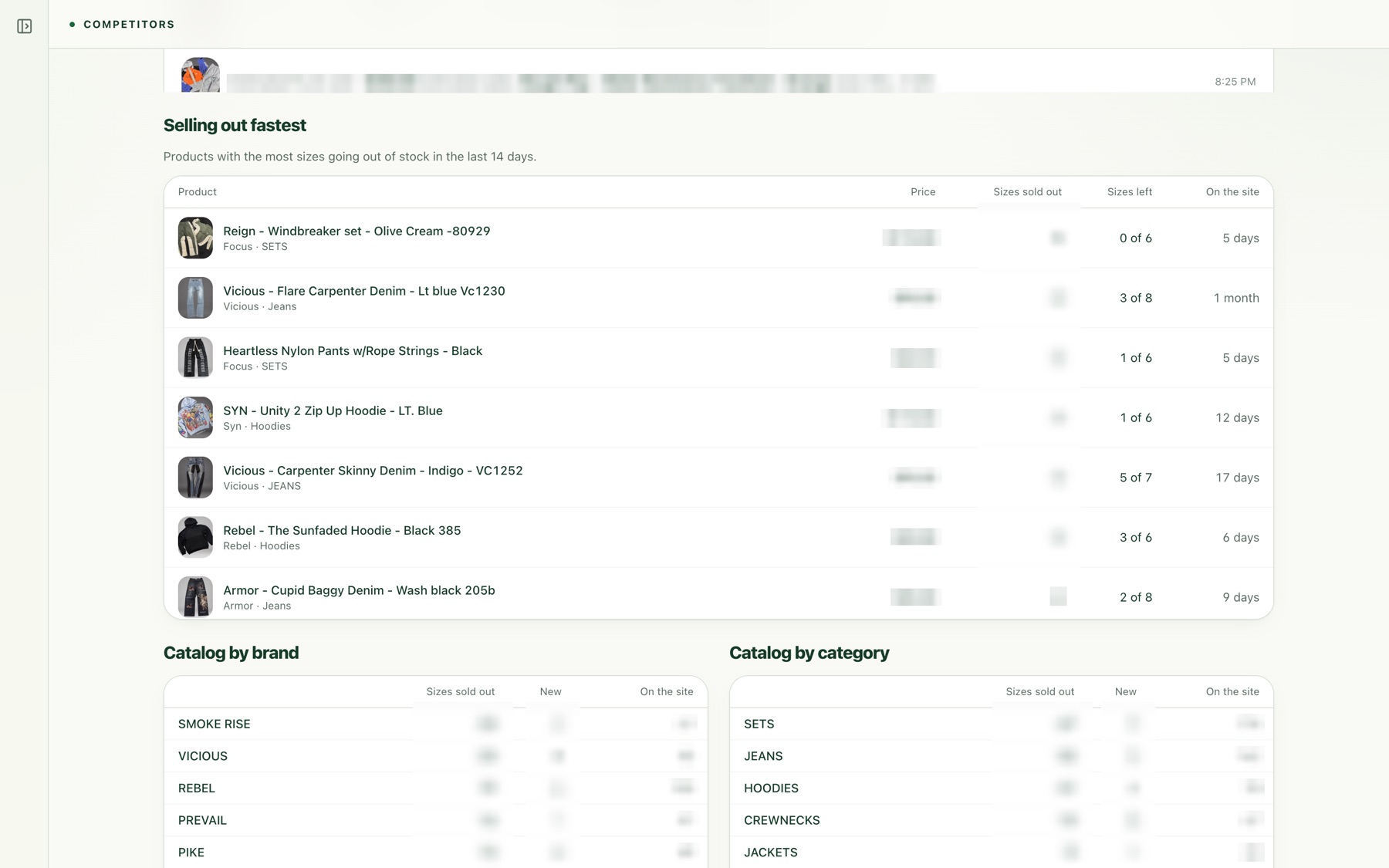
Intelligence
Competitor sales, ads and Google rankings, plain-English financials, attribution and live visitors.
See intelligence →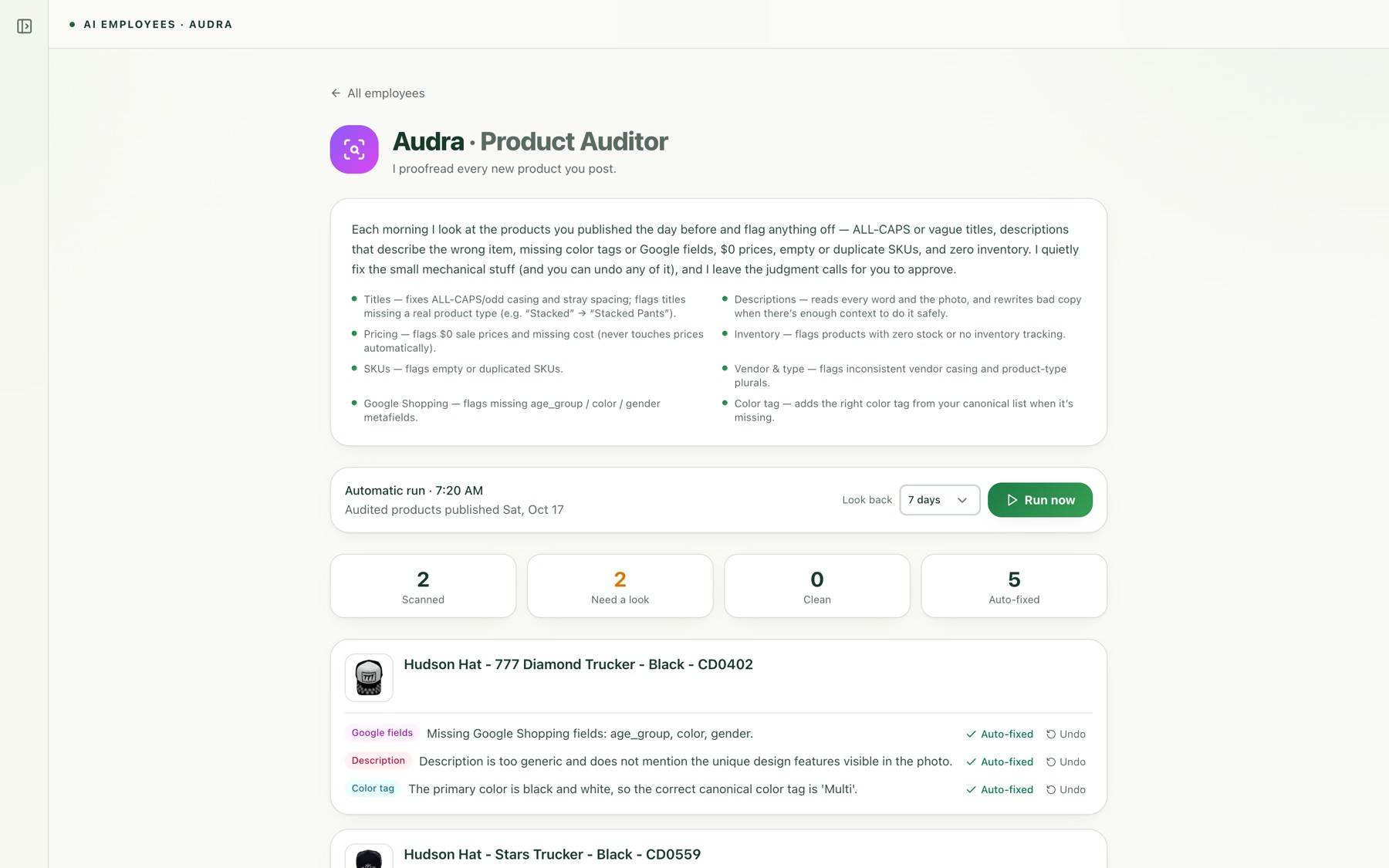
Catalog
Collections that sort themselves, a nightly product check, and products added once.
See catalog →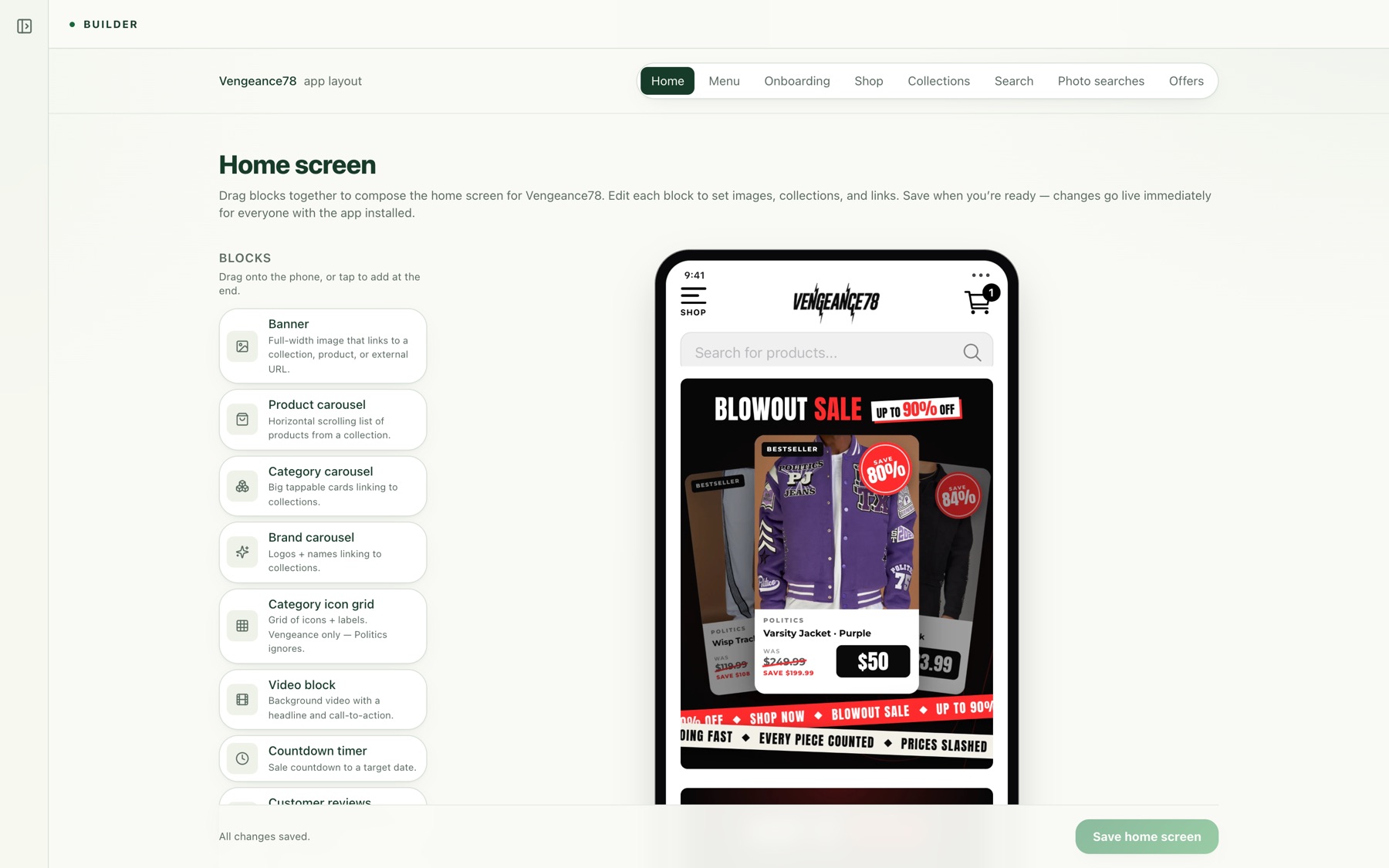
Storefront & apps
A fast headless website, your own shopper app and a staff app, all on one core and changed from the dashboard.
See apps →See it on your store
Book a 30-minute walkthrough
We’ll show you the parts you care about, using the same tools Vengeance78 runs on every day.
Book a demo →See it on your own store
Book a walkthrough focused on the part of your operation that takes the most time today. Bring your hardest support ticket and we’ll show how Tetova would handle it, and where your team would step in.