Make the first step easy.
Customers can help themselves or ask Alex to file a return through email, chat, or phone.
Give customers an easy way to return. Give your team a clear way to finish. Connect your branded portal, AI support, incoming packages, and warehouse in one returns workflow.
Self-service portal · AI email, chat & phone · Warehouse operations
A return touches support, shipping, money, and inventory. Tetova connects those handoffs so your team can see what is coming, what needs attention, and what still needs to go back on the shelf.
Customers can help themselves or ask Alex to file a return through email, chat, or phone.
Offer available exchanges and store credit, with original-payment refunds when appropriate.
Track incoming parcels, inspect each item, and move resellable units from staging bins to shelves.
A self-service portal that feels like part of your store, with your logo, accent color, and a custom returns domain.
Set your return window, eligible reasons, refund preference, and customer auto-approval limit. Exceptions go to your Needs You queue for review.
Order #4821 · Select what happens next.
Your AI support agent can identify the order, confirm the items and reason, and file a Shopify return from the conversation.
Email verification can use an authenticated sender matching the order.
Illustrative conversation · Filing requires a successful actionCustomers can ask for help directly in your website chat.
Illustrative conversation · Filing requires a successful actionAlex gathers and confirms return details during the call.
Illustrative conversation · Filing requires a successful actionOrder verification when required, item matching, quantity, and the customer’s own reason.
File the request in Shopify and attempt to issue and email a prepaid return label.
Return actions are logged alongside support activity, with label failures surfaced for follow-up.
Plan receiving around incoming returns. A rolling seven-day calendar and month view turn carrier estimates into a clearer picture of the work ahead.
Drill into the day. Search by order, return, tracking number, customer, or carrier. Multiple parcels stay visible as separate shipments.
Keep the warehouse informed. Configure daily incoming-return emails by receiving location, delivery time, and time zone.
Keep estimates in perspective. See tracking check times and stale-data indicators. Carrier delivery and completed inspection remain separate.
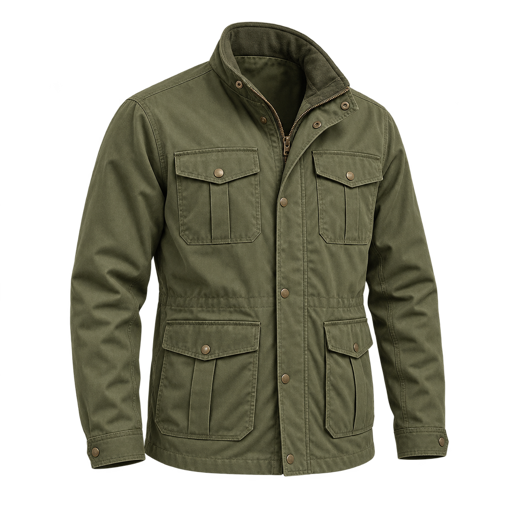
Field Jacket · Olive / Medium · 1 received
Give the receiving team a guided workflow built around the package in front of them.
Missing or mismatched items stay visible for review. Keyboard shortcuts help teams move through repeated inspections.
Inspect first. Review the resolution. Let an authorized admin confirm the financial action with the order details in view.
Process replacement items already attached to the Shopify return, or select an available replacement through the manual exchange flow.
Review replacement details before confirmingIssue a Shopify gift card for an eligible, fully matched return and send the customer their credit by email.
Give customers a reason to shop againReview the live Shopify refund quote and explicitly confirm the exact amount before issuing the refund.
Clear amounts, permissions, and recordsInspection starts the physical handoff. Locations & putaway finishes it.
Physical receiving is retained even if a refund or exchange needs follow-up. Your team can keep shelving while the customer resolution is reviewed.
Take the item to its shelf
Yes. Customers can file through the branded self-service portal or ask Alex to file a return by email, chat, or phone. AI intake confirms the order, items, and reason before submitting the request.
The portal evaluates the return window, configured reasons, recent auto-approval count, and exchange stock. Eligible requests can be approved automatically. Fault claims, unavailable exchanges, and other exceptions are routed to Needs You for review. These portal rules are separate from AI-assisted filing.
No. Filing starts the return. Financial resolution happens separately in processing, after receiving and inspection. Live refunds, gift cards, and exchanges require an account admin and the applicable validation and confirmation steps.
Automatic labels require a connected Shopify store, configured return address, and supported shipping setup. The current automatic label flow supports US customer shipping addresses. QR codes appear when the provider supplies them. If label creation fails, the filed request can still need manual follow-up.
The calendar uses saved carrier tracking and estimates. It refreshes saved data while open and shows check times and stale-data indicators. Carrier polling normally runs every 30 minutes; clicking Refresh does not force a carrier check. Dates use Eastern time. Confirm arrivals-calendar availability for your account during your demo.
Resellable items are staged during inspection. Shopify stock is added at the chosen receiving warehouse only after the full return-line quantity and destination shelf are confirmed in Locations & putaway. Damaged and unsellable items are not sent through this restocking flow.
See how Tetova connects the return request to the receiving dock, the customer resolution, and the shelf.